Housing Online - your online account
Housing Online lets you complete a housing application and search and apply for a property.
If you’re a tenant you can use Housing Online for the following:
- Check your rent balance
- Make a rent payment
- Update your contact details
- Update your personal details
- Update your communications preferences
- Create a new housing application or view saved applications
- Report non-emergency repairs
If you don't already have an account, please follow the instructions below to set one up.
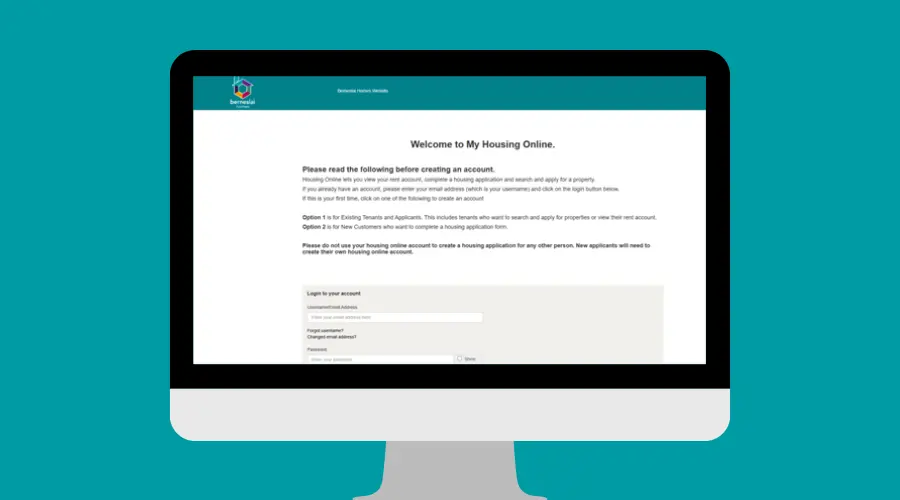
Register for your Housing Online account
To register for Housing Online you need an email address. If you haven’t got an email address, you'll need to set one up. For help setting up an email, visit the Learn My Way website or join the weekly drop-in session on Wednesdays 10-11.30am at Library @ the Lightbox in Barnsley town centre.
To set up an account you’ll need:
- An email address you can access*
- A reference number – this can be your payment or application reference
- Your date of birth
- Your National Insurance number
*iCloud emails do not work with Housing Online. Please use an alternative email address.
Select option 1: Existing tenants and applicants – create an account. Follow the instructions on screen to create your account.
Watch our how to video guide which gives you step-by-step instructions on using Housing Online. You can also click here to open the video in a new window.
Report non-urgent repairs online with My Repairs
We’ve made it easier for you to report and track non-urgent repairs using your Housing Online account.
You can now use ‘My Repairs’ - your new online service for reporting non-urgent repairs, making it quick and simple to log repairs, check progress, and keep your contact details up to date. Access My Repairs through your Housing Online account – if you’re not sure whether you have an account, read below for how to set one up.
Watch our how to video guide which gives you step-by-step instructions on using My Repairs. You can also click here to open the video in a new window.
Frequently asked questions about Housing Online
Housing Online is your own account where you can view your rent account and make payments, update your contact details and communications preferences, including any reasonable adjustments you may need, and report non-emergency repairs to us. You can also view and apply for available properties.
- Online reporting: You can now report non-urgent repairs online, anytime, from your computer, tablet, or smartphone.
- Track your repairs: View the status of your repair requests and appointments in real time.
- Image-based reporting: Use the easy-to-follow images to help describe the nature and location of non-urgent repairs.
- Inclusive access: Phone reporting is still available, and you should always call 01226 787878 to report emergency repairs.
- Register for Housing Online: You should already have an account, or follow the instructions in the video above to set one up.
- Check your contact details: Make sure your contact information is up to date in your Housing Online account so we can keep you informed.
Once you've done the above, log in to Housing Online, select ‘My Repairs’, and follow the prompts to report your issue. The video above shows you how to do this.
Yes, you can call 01226 787878 during office hours for non-emergency repairs, and the Repairs Hotline is open 24/7 for emergencies.
An emergency repair is one that immediately affects your health, safety, or security and would endanger life or, if not repaired, will cause damage to the building. Please always call us to report these.
No, the app and temporary eform (eform 82) are no longer supported. Please use My Repairs online reporting.